


Swiggy: Food Instamart Dineout
4.73.52K Reviews
App Specs
- Version
- 4.115.1
- Updated On
- License
- Free
- Downloads
- 100,000,000+
- Developer
- Swiggy
- Categories
- Food & Drink
- Platform
- Android, iOS
Screenshots
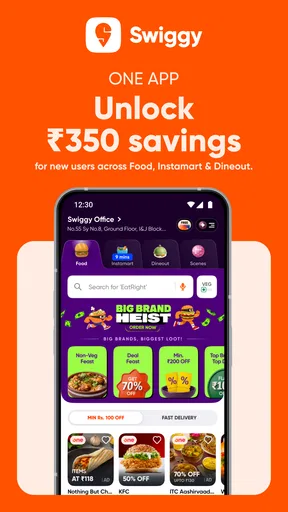
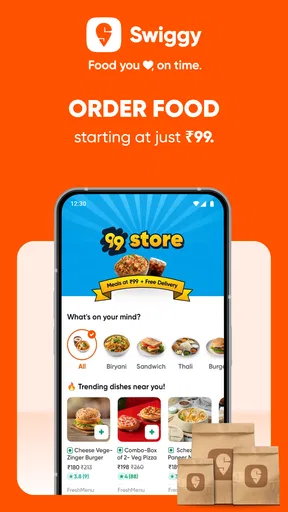
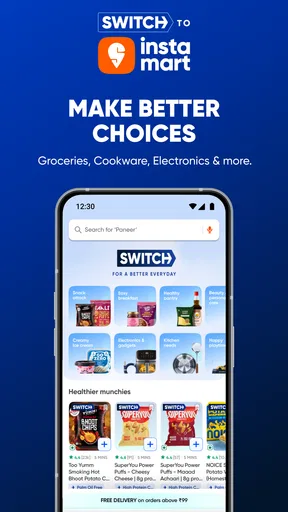
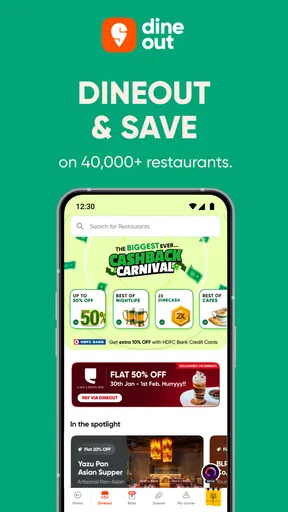

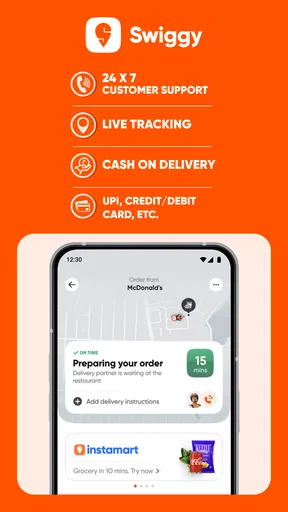
 Analysis by AppCompare
I judge a food app less by how many things it promises and more by whether it helps me make a sensible choice when I’m hungry, short on time, or trying to avoid an unnecessary trip. Swiggy brings restaurant ordering, grocery shopping through Instamart, and Dineout restaurant offers into one place. That combination is useful, but it also means the best way to use it depends on what I need that day: a cooked meal, ingredients for home, or a reason to eat out.
Start with the need, not the home screen
When I open an app with several food-related services, I first decide which problem I’m trying to solve. If I want a prepared meal, restaurant delivery is the natural route. If I have the basics at home but am missing a few things, grocery ordering may make more sense. If I’m planning to meet someone, Dineout belongs in the comparison. Treating those as separate decisions helps me avoid browsing one section simply because it is visible.
This distinction matters because these options do not replace one another perfectly. A delivered dish is convenient, but it does not stock the kitchen for tomorrow. Groceries can help me prepare food at home, but they take planning and cooking. A restaurant deal may suit an evening out, yet it does not solve a last-minute lunch at my desk. I find Swiggy most useful when I’m willing to choose the service that fits the occasion rather than expecting one option to be best every time.
Why having three food routines together helps
The practical advantage is less about having a single app for everything and more about being able to switch between different kinds of food plans without starting from scratch elsewhere. On a workday, I might look for a ready-made lunch; later in the week, I might need groceries for breakfast; and on the weekend, I might want to explore a restaurant. Keeping those tasks together makes the app easier to remember and can make it simpler to compare what kind of effort each plan involves.
That convenience is particularly helpful for households with changing schedules. One person may want a quick prepared meal while another is planning a grocery top-up. A shared decision can still be made around the type of order, even if everyone’s appetite differs. I would not assume that every service or choice will be available in every location, so I’d check what appears for my address before building a routine around it.
A realistic way I’d use it during a busy day
Imagine I finish work later than expected and realize that dinner ingredients are missing. I can compare the simplest options: order a cooked meal if I need dinner immediately, or check Instamart if I have enough time and want to use what is already in the kitchen. The useful trick is to think in terms of the whole meal, not just the missing item. If the groceries would still leave me with substantial preparation, a ready-made order may be the more realistic choice; if I only need a small top-up, groceries could prevent a larger shop.
For a planned outing, I’d use Dineout differently: decide what kind of place and occasion I have in mind, then see whether the offers make the visit more appealing. I would not choose a restaurant solely because a deal is displayed. Menu fit, distance, timing, and whether the group actually wants to go out still matter. The app can help with discovery and savings, but it cannot make an unsuitable plan worthwhile.
Worth Reading Before You Choose

Baby Panda World Brings Quick Play to Modern Phones, but Its Game Library Feels Busy

ESPN’s Live Game View Makes Following Close Games Easier

QuizzLand Review: A Good Fit for Short Trivia Breaks, Not Every Player

Basketball Stars: Multiplayer Is Fast, but Can It Recover When Matches Go Wrong?

WEBTOON Turns Phone Updates Into a Better Reading Routine

Link to Windows Runs on Shared Habits, Not Social Feeds
Choosing between Swiggy and the usual alternatives
Compared with using a restaurant’s own ordering channel, a multi-restaurant delivery app is convenient when I want to browse different choices in one place. The trade-off is that a direct order may suit someone who already knows exactly where they want to eat and prefers that restaurant’s own process. Likewise, a dedicated grocery service or a nearby shop may be a better fit when I’m doing a large, deliberate household shop rather than filling a short list of immediate needs.
Dineout is a different comparison again. Searching for a place independently can work well when I already have a recommendation or want to plan around a particular neighborhood. Swiggy’s advantage is having restaurant discovery and offers alongside its other food tasks, but I would still compare the details of an offer with the restaurant’s normal terms before relying on it. The right choice depends on whether I value convenience, a particular venue, or a broader browse.
What I would check before placing an order
I recommend slowing down for a moment at checkout. Confirm the selected service, the delivery address, the items, and the final amount shown in the app. With groceries, read the item names and quantities carefully so a quick top-up does not turn into the wrong size or an unsuitable substitute. With restaurant food, check the dish details and any choices attached to the item. A few seconds here can prevent the most avoidable ordering mistakes.
For repeat use, I’d also pay attention to my own pattern rather than assuming every order is good value. If I repeatedly need the same kitchen staples, planning a grocery list before I open the app can keep impulse additions in check. If I’m ordering prepared food, deciding on a budget and what kind of meal I want first makes browsing less tiring. These small habits make a convenience app serve a routine instead of quietly creating one.
Who is likely to get the most from it?
Swiggy is a strong candidate for someone who regularly alternates between restaurant meals, grocery top-ups, and eating out, and who appreciates having those choices in a familiar app. It can also suit a busy household that needs different answers on different days. For a person who orders restaurant food only occasionally and never uses grocery delivery or dining offers, the extra services may not add much; a simpler route such as ordering directly from a preferred restaurant or shopping nearby could be enough.
I would also think about my local options and habits before making it my default. If I prefer choosing produce in person, want to compare a full weekly shop across stores, or usually cook from a planned pantry, an in-person supermarket may be a better match. If I’m careful about spending, convenience alone is not a reason to order: compare the displayed total with the cost and effort of the alternative. The app is most persuasive when it solves a real timing or planning problem.
The All-in-One Food Experience
When I first opened the Swiggy: Food Instamart Dineout app, I was struck by how sleek and user-friendly the interface is. Whether you're a tech whiz or a bit of a technophobe, navigating through the options feels like a breeze. It's like having a personal assistant for all things food right in your pocket.
Exploring Food Delivery
The core feature of Swiggy is its food delivery service, which offers a wide array of options that cater to every palate. From local favorites to international cuisines, it's all just a few taps away. I was pleasantly surprised by the variety of restaurants available, and the fact that the app provides real-time tracking is the cherry on top. You're never left wondering when your food will arrive, which is a huge win in my book.
Instamart: Grocery Shopping Made Easy
Now, let’s talk about Instamart. Imagine needing some last-minute groceries but dreading the thought of a trip to the store. Instamart comes to the rescue! With this feature, you can order groceries online and have them delivered to your doorstep in no time. The selection is pretty impressive, covering everything from fresh produce to household essentials. It's like having a mini supermarket at your fingertips.
Dineout for Dining Out
Feeling like stepping out for a meal? The Dineout feature has you covered. It offers reservations at top restaurants, ensuring you always have a spot at the trendiest places. Plus, you can explore exclusive deals and discounts, making dining out more affordable. I tried this feature a couple of times, and it worked like a charm every single time.
Why Swiggy Stands Out
What really sets Swiggy apart is its seamless integration of various services. Whether you’re ordering dinner, stocking up on groceries, or planning a night out, it’s all under one roof. The app’s performance is consistently smooth, and I haven't encountered any major glitches. Plus, the customer service is top-notch, always ready to assist with any issues.
Details that shape the decision
Swiggy is a free Food & Drink app from Swiggy, and its scale makes it a familiar choice for many users: it has over 100 million installs and an average rating of 4.7 from around 13 million ratings. That reputation is reassuring as a starting point, though it cannot tell me whether the restaurants, grocery selection, or Dineout options near my own address will suit me. I’d treat local availability as the deciding factor, not popularity alone.
The app is rated for Everyone, and the current version is 4.109.1, with Android 7.0 as the minimum operating system requirement. It was released on June 16, 2015, so it has had time to become a broad, established service rather than a single-purpose ordering tool. I would still make my decision based on the day-to-day experience in my area: how useful the available choices are, how clearly the order details are presented, and whether the different sections match my habits.
Small habits that make the experience more useful
One non-obvious way to get more from the app is to separate urgent needs from planned ones. I would use Instamart for a focused top-up when a few missing ingredients are holding up a meal, rather than treating it as an automatic substitute for a full grocery run. For a larger shop, comparing the list against what is already in the kitchen helps avoid duplicates and unnecessary add-ons. That little bit of planning can matter more than scrolling through a larger selection.
For restaurant delivery, I find it helpful to choose the kind of meal before browsing: something filling, a snack, or food to share. That narrows the decision and makes it easier to compare dishes rather than getting distracted by the number of restaurants. Tracking is useful for knowing where an order is in the process, but I wouldn’t treat an estimate as a guarantee or plan a tight schedule around it. If timing is critical, leaving a buffer is the sensible choice.
With Dineout, I’d check the deal conditions and practical details before making plans with other people. An offer only helps if it applies to the meal the group wants and fits the visit. If the plan depends on a particular time or venue, confirming the details in the app before setting off is a better habit than assuming every displayed deal works in every situation. The feature is most useful as a discovery aid and a way to compare options, not as a reason to skip ordinary planning.
When convenience has a trade-off
Combining several services is convenient, but it can also make the app feel like more than I need. If I only want one trusted restaurant, going directly to that restaurant’s own channel may feel more straightforward. If I’m buying a week’s worth of groceries, a supermarket visit or a service built around larger planned baskets may suit me better, especially when I want to inspect products myself. And if I already know where I want to dine, a direct reservation or a personal recommendation may be a simpler path than browsing offers.
There is also a useful distinction between saving time and saving money. Delivery can reduce errands and effort, while an offer can make a restaurant visit more attractive, but neither automatically means the total is lower than the alternative. I’d compare the amount shown at checkout with what I would otherwise spend, and consider whether the convenience is worth the difference. That is a more reliable way to judge value than assuming that an app-based deal is always the best deal.
Switching to Swiggy is relatively easy if I already use food apps: I can start with one service and keep my existing grocery or restaurant routines where they work better. There is no need to move every food decision into one place. I’d test the option I actually need first, learn how its ordering steps work, and only then decide whether the other sections deserve a regular place in my routine. This gradual approach also makes it easier to notice whether the app is genuinely saving effort.
My recommendation after weighing the options
I’d recommend Swiggy to people who value having restaurant delivery, grocery top-ups, and Dineout discovery together, particularly when their needs change from day to day. It is less compelling for someone who shops in person by preference, orders from one restaurant occasionally, or wants a dedicated tool for a large household grocery plan. In those cases, a familiar local shop, a direct restaurant order, or a more focused alternative may be the better fit.
My practical advice is to begin with one clear use case: a meal you need delivered, a short grocery list, or a planned meal out. Check the local choices and the final details, then decide whether the convenience justified using the app. That keeps the experience grounded in what you actually need, rather than the appeal of having many options on one screen.
Final Thoughts
In the fast-paced world we live in, having an app like Swiggy is a game-changer. It caters to our need for convenience without compromising on quality. Whether you’re a busy professional, a parent juggling multiple responsibilities, or just someone who loves good food, Swiggy is worth checking out. It's like having your very own culinary partner, making life just that much easier.
So, if you haven't already, give Swiggy: Food Instamart Dineout a spin. I promise you won't regret it!
Pros
- Wide variety of restaurant options.
- User-friendly interface and navigation.
- Quick delivery with real-time tracking.
- Customizable meal preferences available.
- Includes grocery delivery via Instamart.
Cons
- Occasional delays during peak hours.
- Limited availability in smaller towns.
- Higher delivery fees during rain.
- Some menu items might be unavailable.
- Inconsistent customer service experience.
FAQs for Swiggy: Food Instamart Dineout
What is Swiggy and how does it work?
Swiggy is a versatile app that offers food delivery, grocery shopping through Instamart, and dining options with Dineout. Users can browse menus from local restaurants, order groceries, or book tables for dining out. The app facilitates cashless transactions and provides real-time updates on order status.
Is Swiggy available in my city?
Swiggy operates in many cities across India, but availability can vary. It's best to check the app or the website by entering your location to see if services are offered in your area. Swiggy continuously expands its reach, so keep an eye out for updates if it's not currently available near you.
What payment methods does Swiggy accept?
Swiggy accepts a variety of payment methods, including credit/debit cards, net banking, UPI, and popular e-wallets. The app also supports cash on delivery in certain areas. Users can choose their preferred payment method during the checkout process for a seamless transaction experience.
Are there any subscription plans for Swiggy?
Yes, Swiggy offers a subscription service called Swiggy One. This plan provides benefits like free delivery on select orders, exclusive discounts, and priority customer support. It’s designed for frequent users who want to save on delivery charges and enjoy other perks.
How does Swiggy ensure the quality and safety of its deliveries?
Swiggy has implemented strict hygiene protocols to ensure the safety of its deliveries. This includes contactless delivery options, regular health checks for delivery partners, and partnerships with restaurants that follow food safety standards. Swiggy prioritizes both customer and partner safety in every order.


